6 Steps to Connect ChatGPT with Your Apps Using Composio
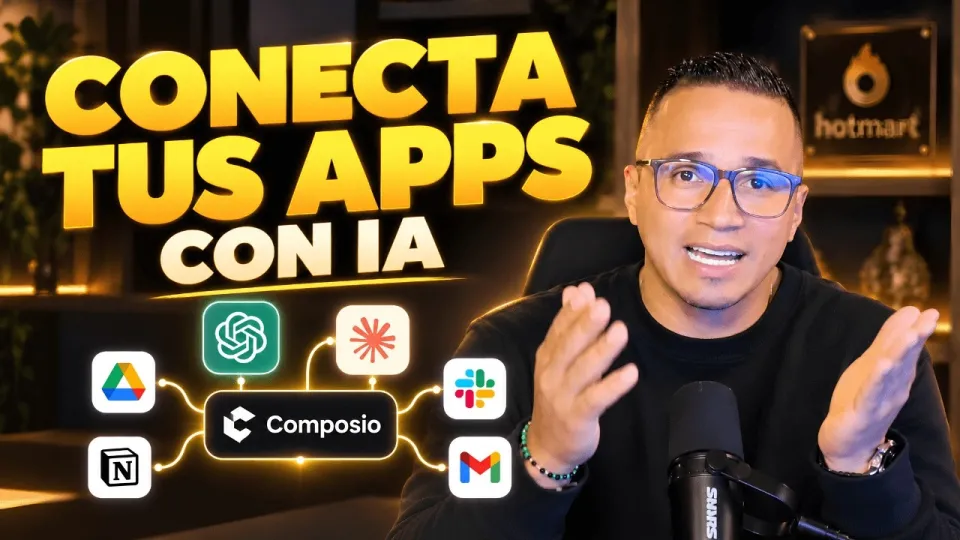
Video: Conecta ChatGPT, Claude y tus apps: así haces más con Composio
· based on the channel DataEdu
Connecting ChatGPT with your existing applications can significantly boost your productivity and simplify workflows. Composio is a powerful platform that facilitates this by providing connectors that link AI assistants like ChatGPT and Claude to apps such as Google Drive, enabling seamless automation and interaction. For additional resources on transforming data storytelling, check out this Storytelling Book.
Understanding Composio Connectors
Composio offers two main types of connectors: native and external. Native connectors are built-in integrations that directly connect AI assistants to applications with minimal setup. External connectors require additional configuration but allow connecting to a broader range of apps and services. These connectors handle the authentication, authorization, and interaction mechanisms to ensure secure and efficient data exchange.
Authorizing and Connecting Google Drive
One practical example is integrating Google Drive with ChatGPT via Composio. To connect, you must authorize Composio to access your Google Drive account by granting specific permissions. These permissions typically include reading, writing, and managing files depending on the actions you want ChatGPT to perform. After authorization, you can use Composio to trigger actions such as file retrieval, content summarization, or automated document creation using AI.
Expanding Connections to Claude, Manus IA, and Others
Besides ChatGPT, Composio supports other AI assistants like Claude and Manus IA, each with their own integration capabilities. The process involves selecting the assistant within Composio, reviewing available connectors, and authorizing accounts similarly to Google Drive. This flexible compatibility allows users to leverage different AI tools in their workflows depending on their specific needs.
Managing Permissions and Security Concerns
Security is a critical consideration when connecting AI assistants to apps containing sensitive data. Composio requires explicit permissions for each connection, ensuring users control what data is accessible. It is important to carefully review the requested permissions and monitor the integrations regularly. Some users express concerns about connecting Composio to semantic data models in Power BI due to sensitivity; thus, cautious permission management and data governance policies are advised.
Practical Applications and Productivity Benefits
By using Composio to connect ChatGPT and other AI tools to applications like Google Drive, users can automate repetitive tasks, generate insights, and enhance collaboration. For example, ChatGPT can draft reports based on stored files, summarize meeting notes, or assist in data analysis workflows. Integrations streamline operations and reduce manual effort, making AI-powered productivity accessible to everyday users.
Useful Links
- Storytelling Book for Data Dashboards
- Excel DataEdu Course
- Advanced DAX Learning
- Instagram DataEdu
- LinkedIn Didier Atehortúa
Conclusion
Connecting ChatGPT and other AI assistants to your apps using Composio unlocks powerful automation and productivity gains. The platform’s native and external connectors simplify integration with tools like Google Drive while ensuring secure authorization. By adopting this approach, you can streamline workflows, enhance data handling, and utilize AI capabilities effectively. For those interested in improving data storytelling and dashboard design, the Storytelling Book from DataEdu is a valuable resource. This guide is based on insights from the DataEdu channel, a trusted source for learning about AI and data tools.
Key takeaways
- Composio enables connecting AI assistants to popular apps like Google Drive.
- Supports both native and external connectors for flexible integration.
- Allows authorization and permission management for secure access.
- Compatible with AI tools like ChatGPT, Claude, and Manus IA.
- Enhances productivity by automating workflows through AI integrations.
Source: Conecta ChatGPT, Claude y tus apps: así haces más con Composio · Markdown version
Questions & answers
Is it safe to connect Composio to applications that contain sensitive data like Power BI semantic models?
While Composio requires explicit permissions to access data, users should carefully review and manage these permissions to protect sensitive information. It is recommended to implement data governance policies and monitor integrations regularly to maintain security.
What types of connectors does Composio offer for integrating AI assistants?
Composio provides native connectors, which are built-in and easy to set up, and external connectors that require additional configuration but support a wider range of applications and services.
Can I connect AI assistants other than ChatGPT using Composio?
Yes, Composio supports integration with other AI assistants such as Claude and Manus IA, allowing users to choose the best tool for their needs and connect them to compatible applications.
What permissions are required when connecting ChatGPT to Google Drive via Composio?
Permissions typically include access to read, write, and manage files on Google Drive. The exact permissions depend on the actions you want ChatGPT to perform, and you must authorize these explicitly during the connection process.